

A world of convenience,
in-store and online.
Citi Cards, now on Google Pay™
Paying is easy and secure
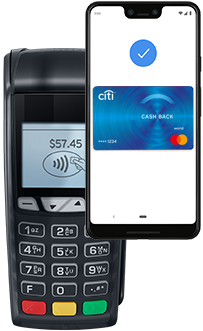
- Unlock
Simply unlock your phone. - Pay
Hold your phone over the contactless terminal. - Done
A tick mark with a soft tone or vibration indicates that your payment is completed.
Designed to work in-stores and online
-
In-Store
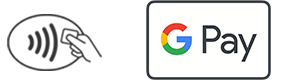
Use Google Pay in shops wherever you see these symbols.
Use Google Pay in shops wherever you see these symbols.
-
In-App and on sites

Check out faster online when you see the Google Pay button.
Check out faster online when you see the Google Pay button.
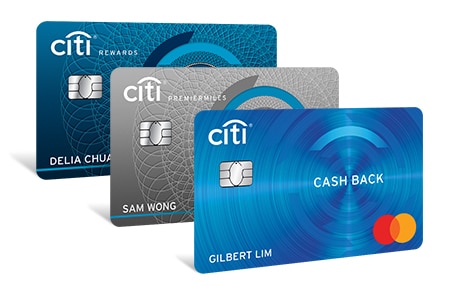
There's a Citi Card for your every need. Apply now and be rewarded as you spend.
*Eligible for new main cardmembers only. T&Cs apply.
FAQs
Google Pay is the fast and simple way to make in-store and online (in-app or on web) payments. Learn more about Google Pay at https://g.co/pay/sg
Google Pay™ is supported on compatible Android™ devices running Android Lollipop 5.0 or
later.
Please note that Fitbit watches are not supported.
For in-store payments, the devices will need to have Near Field Communication
(NFC) capabilities and Host Card Emulation (HCE) functions. You can make in-app
or online payment even if your device does not have NFC capabilities.
Google Pay makes checkout quick and easy by allowing you to make purchases using your eligible device. You will continue to enjoy the same Citi Card rewards and benefits. Additionally, Google Pay protects your payment information with multiple layers of security to help keep your account safe.
All Citi Credit Cards (except Citi International Gold Visa), Citibank Ready Credit Card and Citi Mastercard Debit Cards issued by Citibank Singapore are eligible for use on Google Pay.
Your payment information will be linked to your Google Account when you have successfully added your card to Google Pay. To view and manage the payment information you have on file with Google Pay, visit the Google payments center.